
Fold it = Walkman
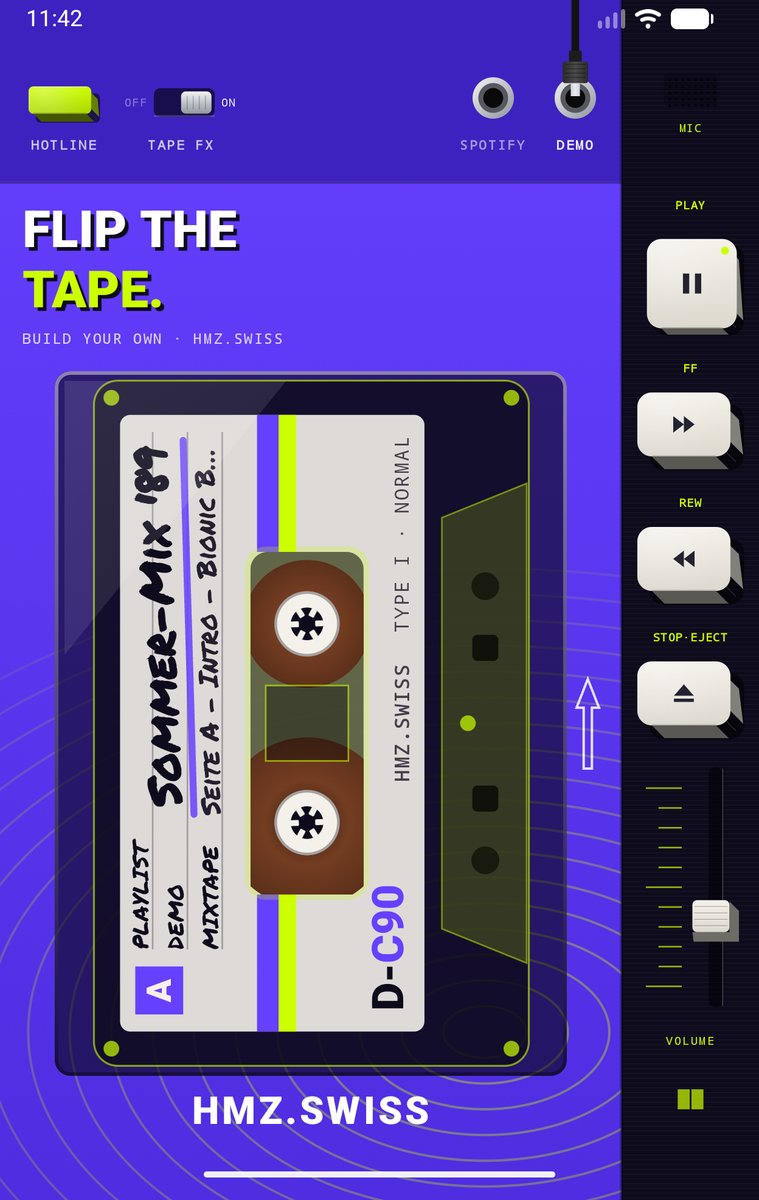
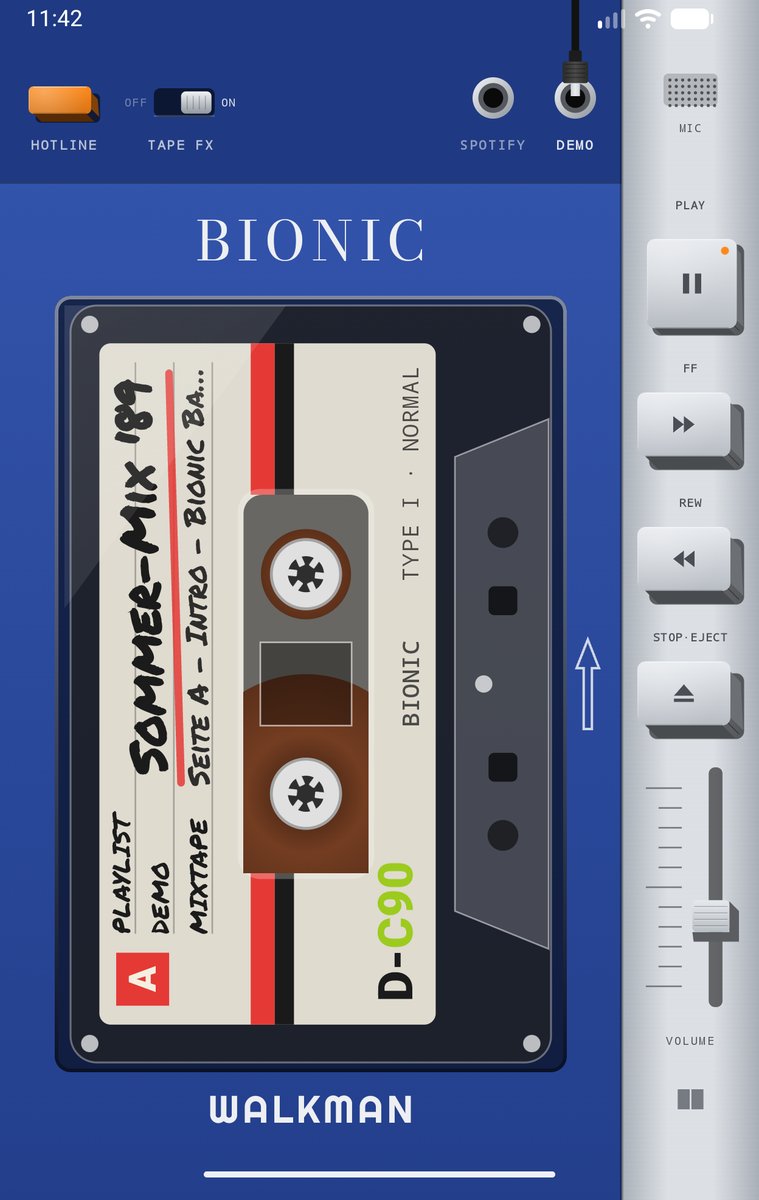
The Fold reads its hinge to know whether it is open or closed. Folded, the cover screen shows the Walkman in the style of the Sony TPS-L2, and the tape starts rolling.
Workshop · Galaxy Z Fold 8 · Beta
Unfolded, you pick a tape from the cassette case. Fold it, and the phone becomes a Walkman: reels spin, the tape hisses, the keys click. Music comes from Spotify, from YouTube Music and other players, or from the built-in demo tapes. A tinkering project from the workshop, free and without tracking.
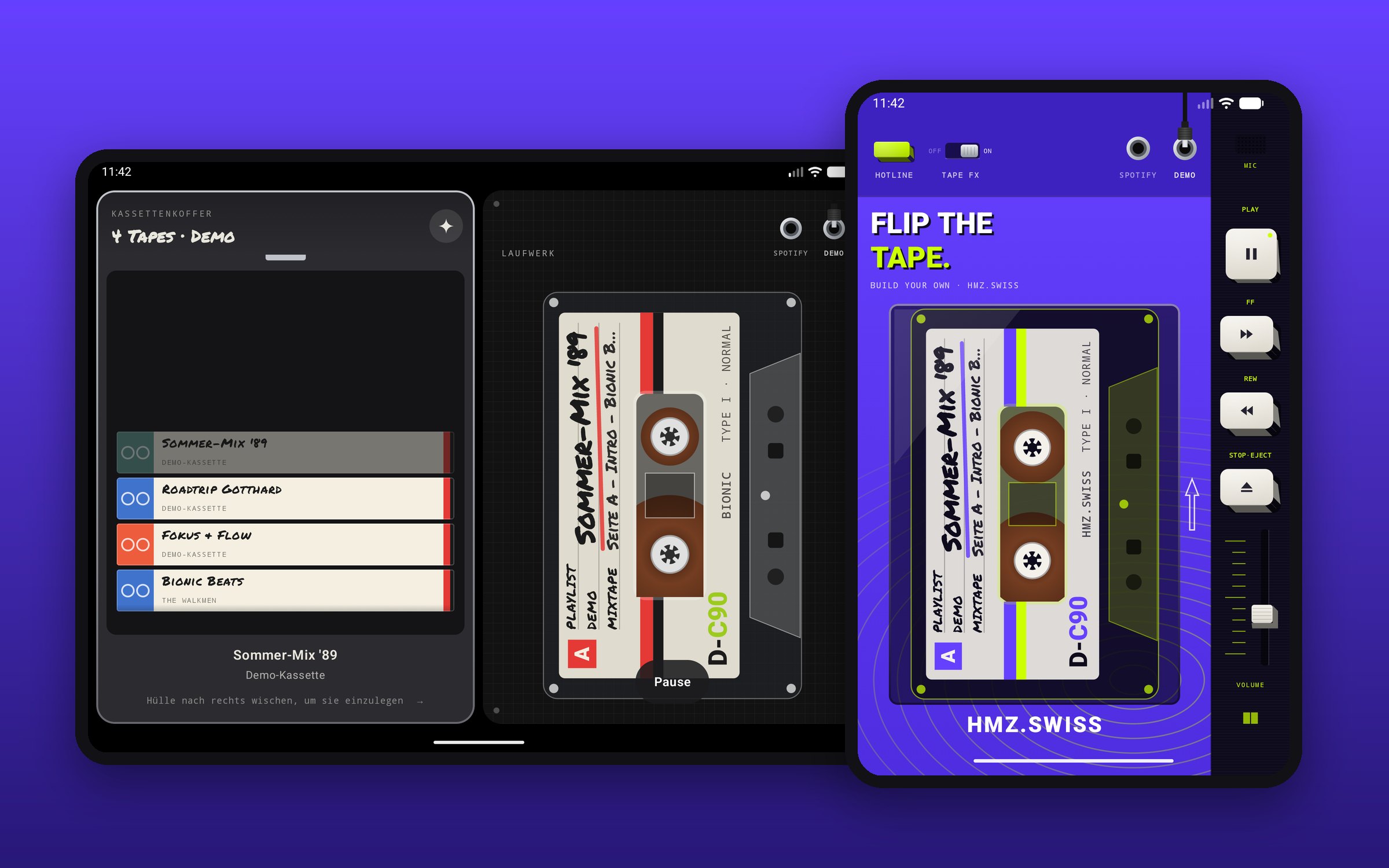
The Fold reads its hinge to know whether it is open or closed. Folded, the cover screen shows the Walkman in the style of the Sony TPS-L2, and the tape starts rolling.
Unfolded, your playlists and albums sit in the case as mixtapes. Flip through, swipe a case to the right, and the cassette flies into the deck.
PLAY latches, FF and REW wind, STOP·EJECT ejects. With travel, click and haptics. Volume via the slider on the side.
Plug the headphone jack into SPOTIFY, YT MUSIC, PLAYER or DEMO. PLAYER controls any music player, the demo tapes work without an account, offline.
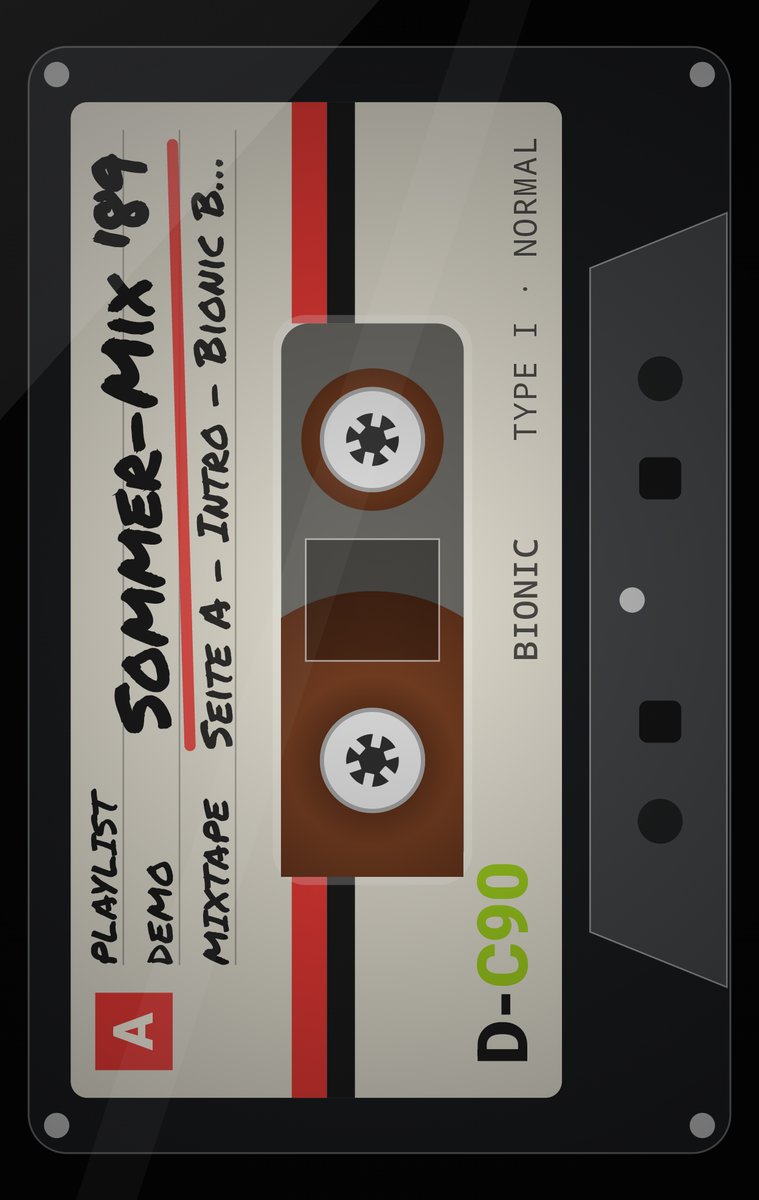
Tap the cassette: housing and keys disappear, leaving only the tape winding from reel to reel. Double-tap = play/pause.
Classic, Bionic OS, Cyberpunk and HMZ.swiss, switch with a long press on the logo. Hiss and clicks can be turned off with the TAPE FX switch.
Guide
Open this page on the Fold and tap «Download APK». The browser warns that the file might be harmful because it does not come from the Play Store: «Download anyway».
Tap the download. Android asks once whether the browser may install apps: Settings → «Allow from this source» → back → Install. If Play Protect does not know the app: «More details» → «Install anyway».
Open the app, swipe a case in the cassette case to the right, fold the phone, and the tape rolls. The demo tapes work right away. For your own music, plug into SPOTIFY or YT MUSIC and log in.
Spotify: Control requires Spotify Premium; playback runs through the official Spotify app. During the beta, Spotify only allows approved accounts: if you want to test with your own music, send us the email address of your Spotify account via contact. Without approval, the demo tapes play.
YouTube Music: Google sign-in is also limited to approved accounts during the beta, until Google has reviewed the app. If you want to test with your playlists, send us the email address of your Google account via contact. Until then, the PLAYER jack controls YouTube Music without signing in.
Small print: Private tinkering project, not a product of Sony, Samsung, Spotify or Google. Built for the Galaxy Z Fold 8, but runs on any Android 12+: without a hinge, a book button switches the view. The app only needs internet and vibration (plus notification access for PLAYER), collects no data, and the Spotify and Google logins stay on the device (privacy). Signed with our own key, certificate SHA-256: 87:55:3D:20:EA:E8:4B:46:5F:AA:D7:E5:83:62:65:EF:6C:CE:58:7E:42:57:E8:9B:5E:7F:4F:5E:AB:38:44:78
Plug into YT MUSIC, sign in with Google, and your playlists plus Liked Music land in the case. Insert a tape, fold the phone: YouTube Music plays in the background, the Walkman stays on screen and its keys control the music. The sign-in only reads your playlists.
Beta testers wanted: until Google has reviewed the app, sign-in only works for approved Google accounts. Send us the email address of your Google account via contact and we'll add you.
What you need: the YouTube Music app and Premium (otherwise YouTube pauses in the background), plus notification access as for PLAYER, so the Walkman can start and control YouTube Music invisibly.
With PLAYER, the Walkman becomes a remote for any music player on your phone: YouTube Music, the Spotify app, Apple Music, Deezer, TIDAL, Amazon Music, SoundCloud, Samsung Music or Pocket Casts. Whatever is playing shows up as a cassette, title and artist appear on the label, and the Walkman keys control play, pause and skip. No login, no approval needed.
Switch greyed out? For apps not installed from the Play Store, Android locks this access at first. Settings → Apps → Bionic Tape → ⋮ (top right) → «Allow restricted settings», then you can turn it on.
YouTube without Premium: YouTube and YouTube Music only keep playing in the background with Premium. Without it, the music pauses when you fold the phone; the Walkman then shows YouTube's notice.
The iOS version is in the works, with Spotify and Apple Music. Since iOS does not allow installing apps from a file, it will come through Apple's channels, TestFlight or the App Store. As soon as it is ready, the link goes here.